
Virgin Media O2 · 2025-26
First 90 day experiences

Role
UX Designer
Duration
Multiple projects
2025–26
Responsibilities
UX & UI design
Interaction design
Design-system
Product strategy
Tools
Figma
Miro
Jira
UserZoom
Quickstart Guides
Bringing every QuickStart guide into one flexible experience
As Virgin Media moved away from printed setup guides, I redesigned QuickStart to support any combination of products from a single QR code.
The challenge
One QR code had to work for every order
Previously, every product had its own standalone QuickStart page. But a single customer order could contain a broadband Hub, TV box, WiFi booster and telephone equipment.
With printed guides being phased out, one QR code now needed to take customers somewhere that worked for any combination of kit and made the right setup guidance easy to find.
Each product had its own page


But the new box had one QR

The solution
One page, multiple setup journeys
Rather than stacking four guides into one long page, I structured the experience around the customer's equipment, allowing them to move directly to the product they were setting up and easily switch between guides.

A simpler way to navigate multiple setup guides
I redesigned QuickStart around a single destination that could support different combinations of equipment without making the experience feel crowded or difficult to navigate. Customers could identify the product they were setting up and move straight into the guidance they needed.

The next problem
The existing FAQ couldn’t scale
Once the new QuickStart experience brought multiple products together, the existing FAQ pattern became difficult to scan.
With questions for four pieces of kit in one place, customers needed a quicker way to find the help relevant to them.

The evolution
Showing customers the help that’s relevant to them
I redesigned the interaction so customers select their equipment first, then only see the questions for that product.
Early Life
Extending the Early Life experience
I worked across the Early Life journey to improve what customers could do before and after setup, from bringing delivery tracking into the online experience to helping customers check and troubleshoot their kit once it arrived.
Adding Inpost tracking
Tracking existed, but outside the journey
Customers already received InPost tracking through text or email, but it wasn’t part of the online Order Tracker experience. Bringing that tracking into the product created an opportunity to make the delivery journey clearer and update parts of the interface at the same time.

The challenge
One tracking experience had to support multiple journeys
InPost deliveries could form part of two different customer journeys: a direct QuickStart order, or a QuickStart Conversion where an engineer would visit after the kit arrived. The experience needed to make both the delivery status and what happened next clear, without making the journey feel fragmented.

The solution
Bringing delivery tracking into Order Tracker
I brought InPost tracking directly into the Order Tracker timeline and used the work as an opportunity to update older UI patterns with current design-system components.
Quickstart order
For direct QuickStart orders, the journey moves from tracking the delivery to helping the customer get set up once the kit arrives.


Quickstart conversion
For some customers, delivery was only the first step. The journey then shifted from tracking the kit to preparing for an engineer visit.


Designing for when things don’t go to plan
The journey also needed to work when delivery or installation didn’t happen as expected.
Reschedule engineer
Delayed engineer
Missing parcel / kit

Faults and troubleshooting
Helping customers check their setup before calling support
Some customers were incorrectly setting up their kit, leading to avoidable support calls and engineer visits.
I designed a post-setup experience that checks the connection first, then guides customers through relevant troubleshooting before escalating further.

The challenge
Not every fault needed an engineer
Customers needed a simple way to understand whether something was actually wrong, and whether they could fix it themselves.

The solution
A connection check that adapts to the result
I designed the post-setup experience around a simple first step: test the connection. From there, the journey adapts — reassuring customers when everything is working, or guiding them through troubleshooting and engineer booking when it isn’t.
Make sure the customer is ready
Before testing the connection, the experience confirms the customer has finished setting up their kit and gives them a route back to QuickStart if they haven’t.
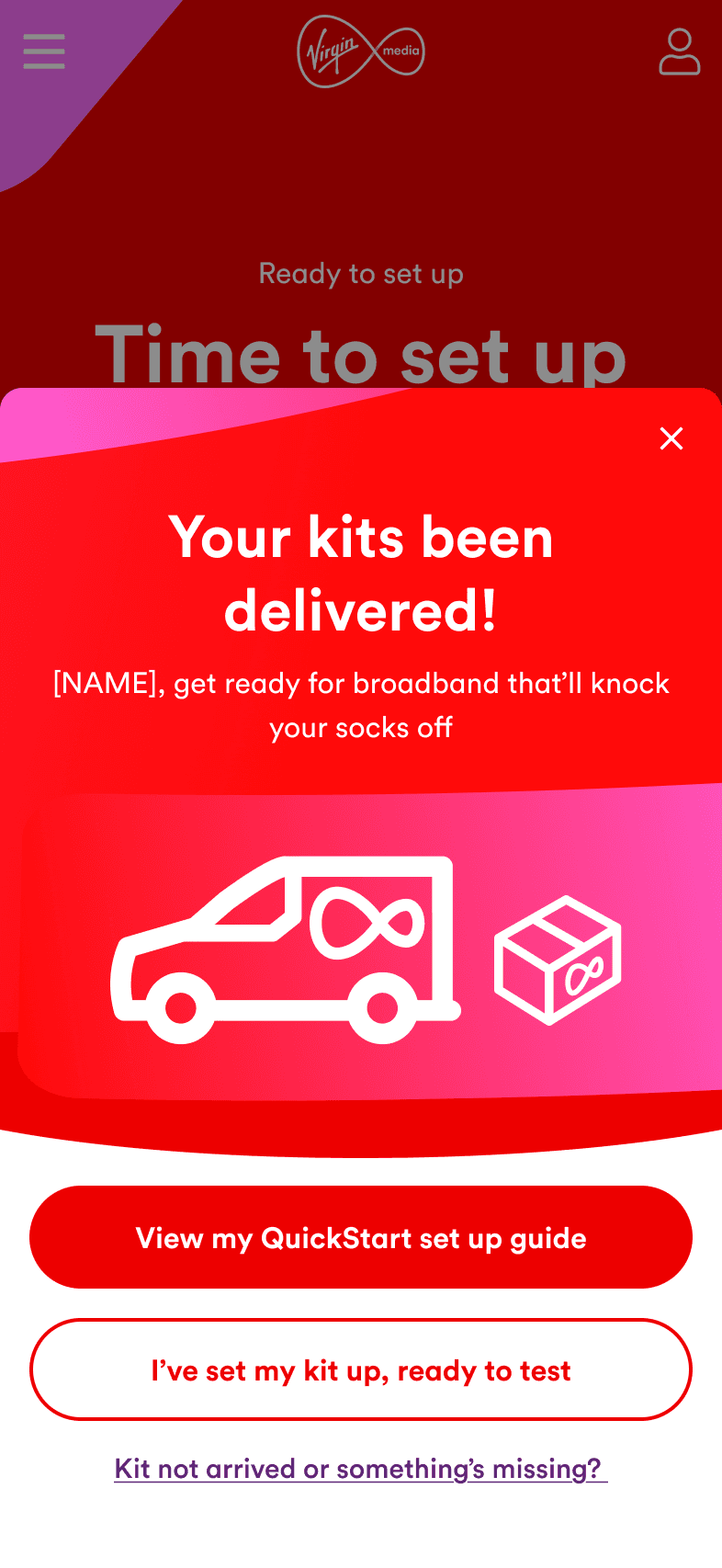


Everything’s working
If the connection check passes, the customer gets clear reassurance that their setup is complete and no further action is needed.


Something’s not right
If the test fails, the customer is guided through troubleshooting relevant to the issue. If the problem remains after retesting, they can book an engineer without leaving the journey.


The approach
Resolve what can be fixed, escalate what can’t
I structured troubleshooting as a staged escalation: confirm setup, test the connection, guide customers through relevant fixes, retest, and only offer engineer booking when the issue remains unresolved.

Outcome
Reducing unnecessary support
The experience is designed to help more customers resolve setup issues themselves and reduce avoidable support calls and engineer visits.
Virgin Media onboarding app
Bringing setup, support and account management into one guided experience
I explored an onboarding app that connected order tracking, setup, troubleshooting and account management into one guided experience.
A mobile-native start to My Virgin Media
We designed an onboarding experience that acted as a prelude to the existing My Virgin Media app.
It brought order tracking, kit setup, socket checks and essential account tasks into one guided journey, using mobile capabilities such as the camera, NFC, Wi-Fi and Bluetooth to improve experiences previously limited to the web.
The onboarding experience
Everything needed for a confident start
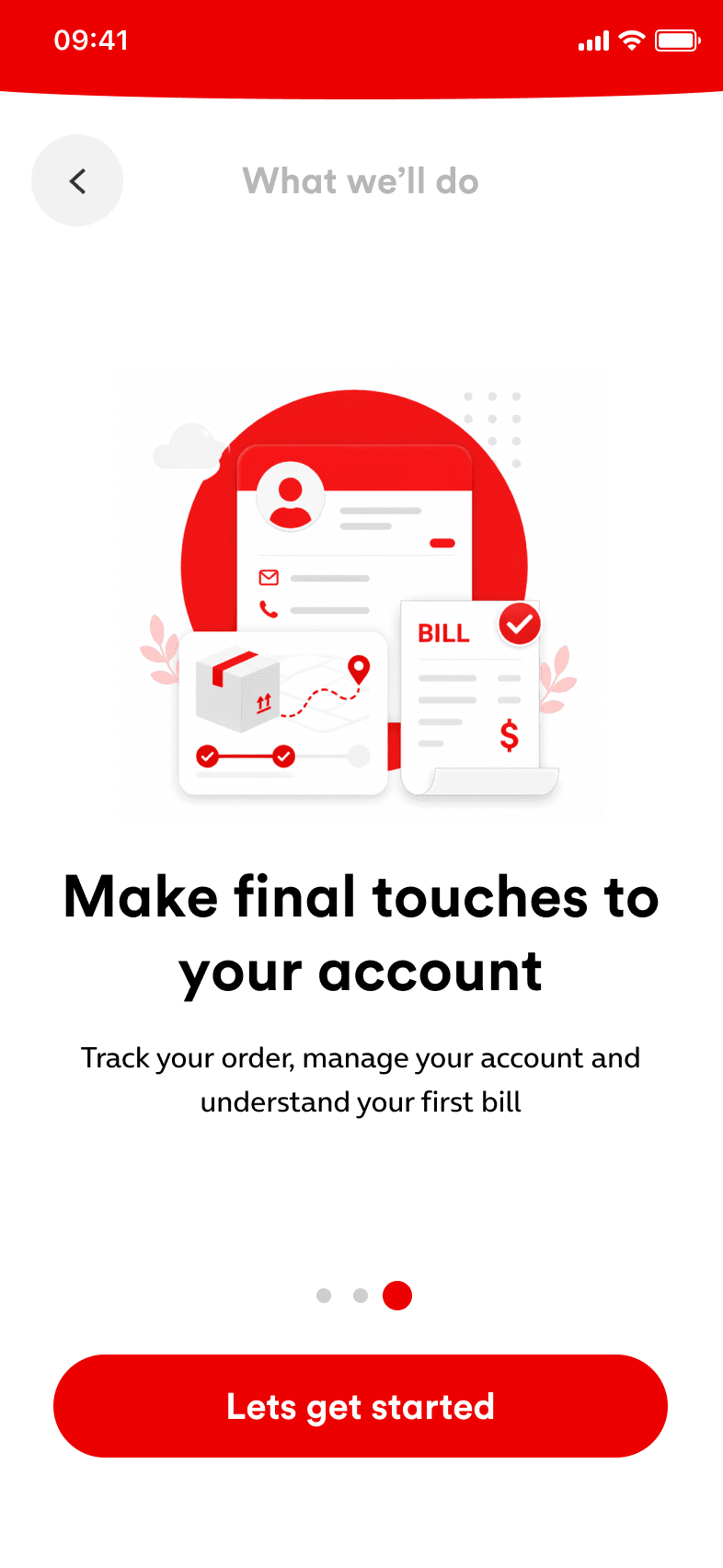
A short introduction shows customers how the app will guide them through setup, resolve problems and complete essential account tasks. Key guidance remains available offline, so help is accessible even before their Virgin Media connection is working.


Checking the home is QuickStart-ready
Customers photograph their wall socket and the app identifies whether it supports a QuickStart installation. Compatible customers can continue normally, while anyone without the correct socket is guided to book an engineer.
From delivery to connection
Getting customers online with confidence
Customers can track their kit in real time, connect through the app using a QR code and run a final broadband check. Clear speed results confirm that everything is working and ready to use.


Have a new project or just want to say hi!
Feel free to reach out to me.
© 2026 - Marcus Ostler
Like any product this portfolio website will continue to evolve. Please check back regularly!
(V1.15)